Daily Success · Membership
One program, one price, Year 5 to Year 12.
Everything WritePath does, on one subscription — a short module every weekday, real feedback in minutes, and the whole eight-year curriculum. Here is exactly what it costs and exactly what you get.
How many children?
Monthly or yearly?
Maximum 3 children per account. All prices AUD, inclusive of GST.
Monthly
per month · billed monthly · AUD inc. GST
Subscribe monthly
Billed each month. Cancel anytime.
30-day full refund. If it isn’t right for your child, ask within 30 days of your first payment and we’ll refund what you’ve paid. Refund policy
Every plan includes
The flagship program
Daily Success
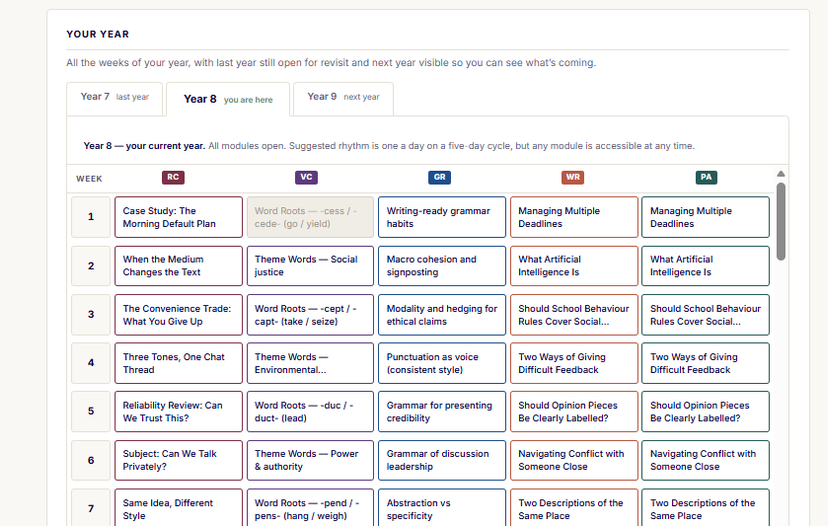
Two school years of learning open at any time — your child’s current year and the year just below it. Every weekly module of the full curriculum, with personalised feedback. The current year is yours to set, and rolls up to the next as your child progresses.
Included — no extra cost
Trio Journals
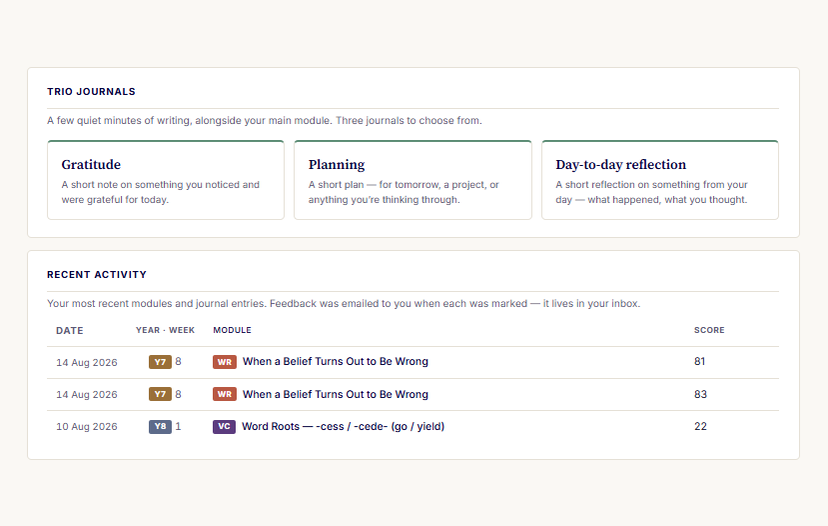
- Gratitude — a short note on something noticed and appreciated today.
- Planning — a short plan for tomorrow, or anything you’re thinking through.
- Day-to-day reflection — a short reflection on something from your day.
Each comes with friendly English feedback — the writing habit, kept alive.
All prices AUD, inclusive of GST. Daily Success is one product with six subscription plans (3 child tiers × monthly/yearly); Subscribe goes straight to checkout — no cart step.
The questions parents ask here.
Straight answers, right where you need them — no fine print surprises.
I’ve subscribed — how do I register my child? +
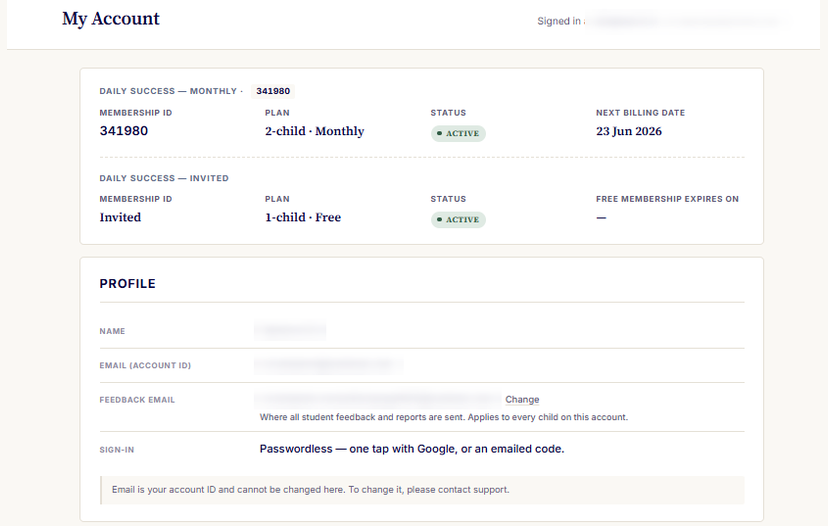
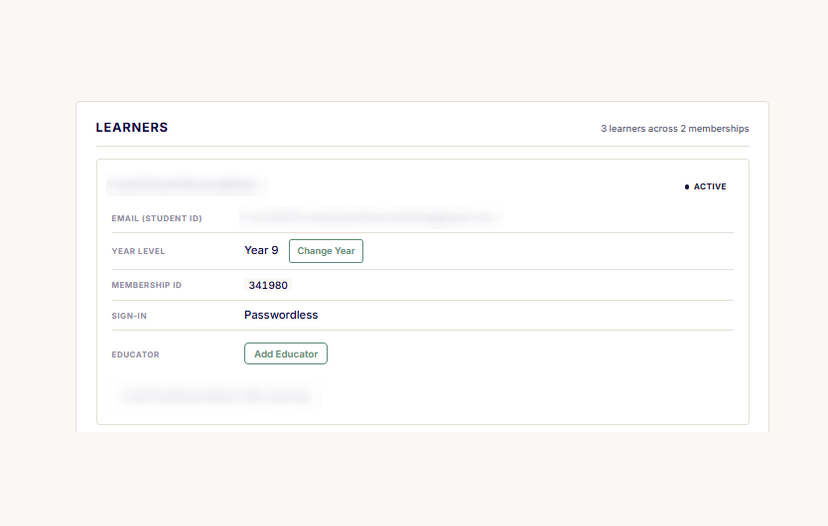
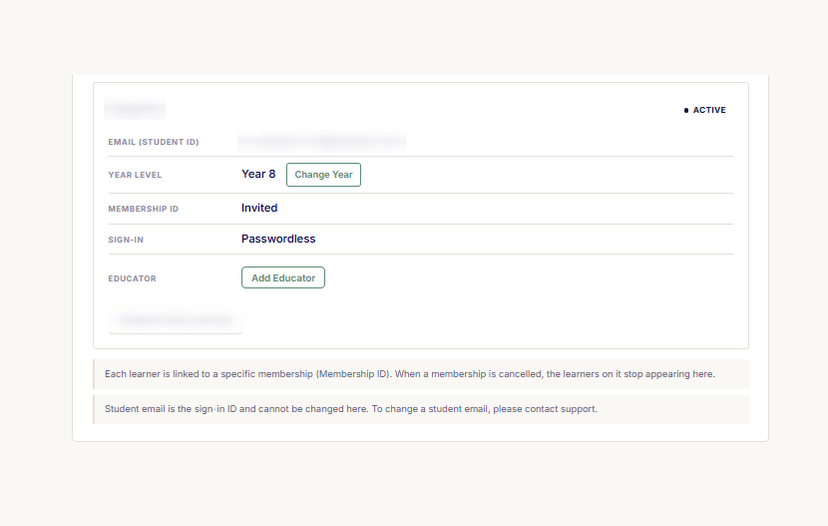
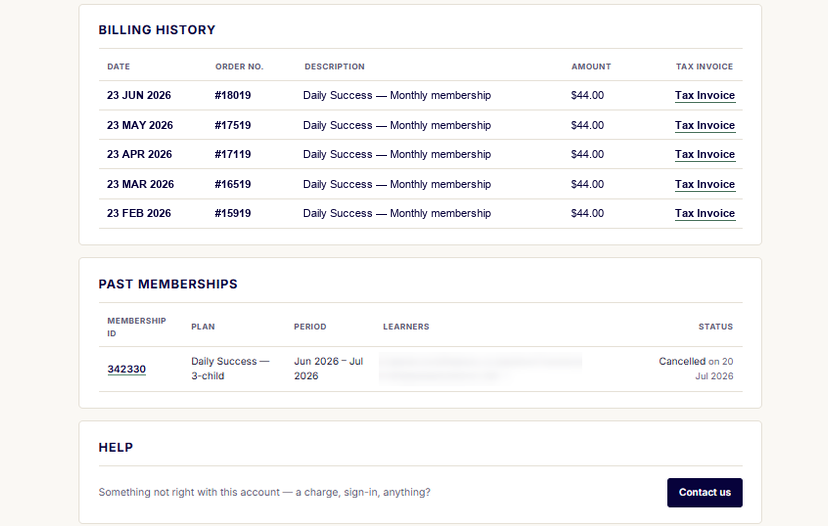
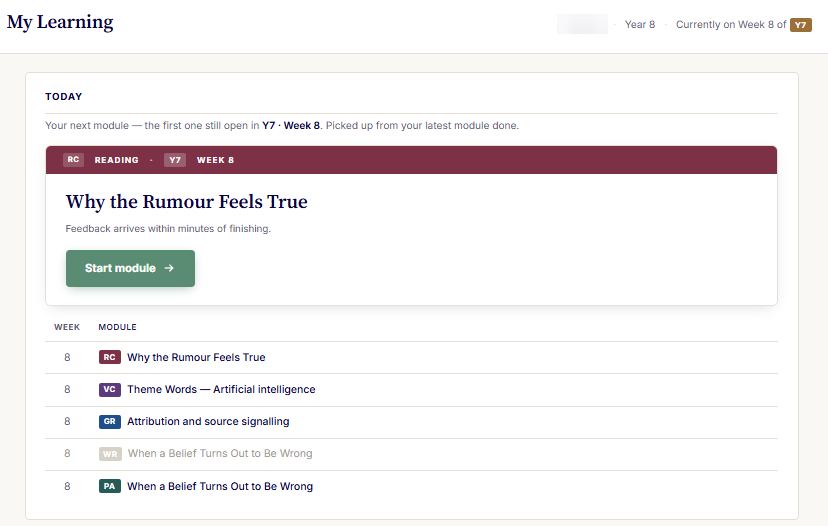
It takes about a minute. You add each child with just their name, year level and an email — a Gmail lets them sign in with one tap, any other email works with a quick emailed code (no password to remember). From your My Account you stay in control: change a child’s year level anytime, update the single feedback email where every child’s reports are sent, review your billing, and open each child’s My Learning to see their weekly modules, recent scores and what’s coming next. Your child just signs in and starts today’s module.
How do I cancel — and when does it stop? +
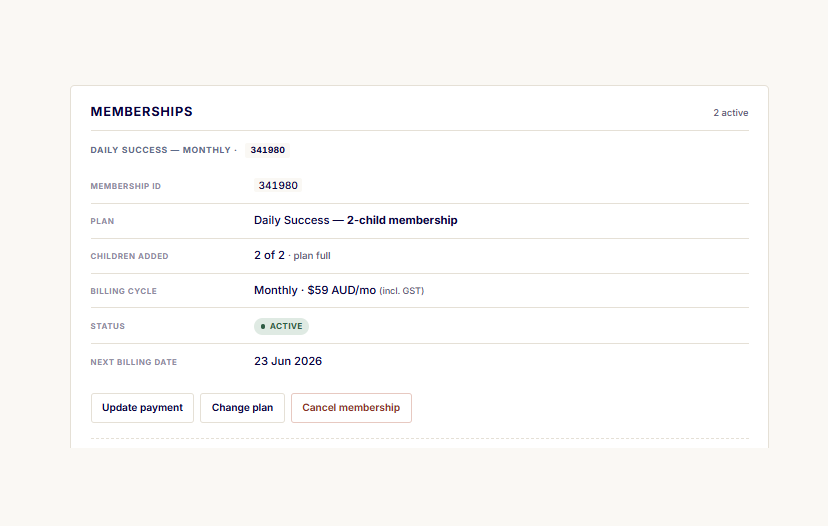
Anytime, from My Account — no phone call, no waiting. Your plan stops renewing, and you keep access until the end of the period you’ve already paid for. You’ll always see your next billing date before you’re charged.
Can I get a refund? +
Yes — in the first 30 days. If it isn’t right for your child, open My Account, cancel the membership, then use the Request refund button beside it. We refund what you have paid in full, you don’t need to give a reason, and the promise is available once per family.
After that, we don’t refund a change of mind mid-period — but you can cancel anytime and keep access to the end of the period you have paid for, so there is nothing to be stuck in. Your rights under the Australian Consumer Law always apply. The detail is in our Refund Policy.
What if I have more than one child? +
One membership covers up to three children. Choose how many when you subscribe — monthly or yearly — and add or remove a child anytime from My Account. The price adjusts to the number of children on the plan.
Is there a lock-in contract? +
No lock-in, no app to install, no password to remember. Choose monthly or yearly (yearly saves up to 18%), and cancel whenever you like. If it isn’t right for your child, there is a full refund in the first 30 days. Monthly keeps things flexible; yearly is for families who already know they’re in for the year.
What year levels does it cover? +
Year 5 through Year 12, as one continuous program. The move from Foundations (Years 5–10) to Applications (Years 11–12) happens automatically — no new sign-up, no new purchase.
How much time does it take each day? +
One module a weekday. The time a module takes varies a great deal — by year level, by module type, and by the student. Each module has a defined start and finish, so your child works through one piece of work and stops, rather than working to a clock. A senior week is three sessions built around that week’s article.
How is feedback given? +
Within minutes of each submission, personalised feedback reaches your child — and the same feedback reaches you, at the same moment, by email. There is no dashboard to log into and no extra step for the family. You see the work being done as it happens.
Is AI used — and can you tell if my child used AI to answer? +
Two questions, and both deserve a straight answer.
On our side: yes. WritePath uses AI to help produce learning content and to assess open-answer responses, always inside human-designed curriculum and feedback frameworks. The pedagogy and the curriculum are human decisions, and your child always produces their own writing.
On detection: nobody can be one hundred per cent certain whether a piece of writing was produced by a person or a machine, and we won’t claim otherwise. What we can do is show you what we saw. Every Writing Task submission carries a short For parent only note beneath the assessment summary:
- Total time taken — from the first word to submission. A piece saved and finished in a later sitting counts the sittings, not the gap between them.
- Estimated focused writing time — only the stretches the piece was actually being worked on. Long pauses and time away from the page don’t count.
- How the piece arrived — how much of the final text was pasted in, and how much was typed in the window.
- AI-authorship likelihood — our estimate of how likely the piece was generated rather than written by a student in that year. It reads the writing itself and estimates.
These are signals to help you judge, not a verdict, and none of them is proof on its own. Both times are measured in the browser: useful context, not a judgement. But a high likelihood on a piece that arrived pasted in whole, a minute after it was opened, is worth a quiet conversation at home.
Is my child’s information safe? +
Yes. We never sell data, and the AI that helps mark work is not permitted to train on your child’s writing. You can read exactly what we collect, where it’s stored, and how to request deletion on our Trust & Safety and Privacy pages.
Still weighing it up? Email hello@writepatheducation.com — a real person replies within one business day.
Where WritePath fits — and where it doesn’t.
WritePath isn’t trying to be everything. It’s the structured middle: the daily practice and real feedback of good tutoring, at the price and routine of a program — the parts each alternative leaves out. Here’s the honest picture.
| WritePathDaily Success | Private tutoring | Worksheets & apps | AI tools (ChatGPT etc.) | School alone | |
|---|---|---|---|---|---|
| Personalised feedback on your child’s real writing | Yesevery submission | Yesonly in the session | Noauto-marked answers | Sometimesif prompted well; unchecked | Limitedshared across 25+ students |
| How often | Every weekdaya short module a day | Weekly1–2 hours | Ad hoc | Ad hoc | Termly assessments |
| A real curriculum, sequenced over years | YesYears 5–12, 264+92 modules | Variesby tutor | No | No | Yes |
| You see the progress | Yessame feedback to your inbox | Someverbal updates | Some | No | Reports only |
| Effort required from you | Lowit runs itself | Mediumbooking, driving | Highyou set & mark it | Highyou supervise it | Low |
| Does the writing for them? | Neverthey write; we coach | No | No | Oftenthe real risk | No |
| Typical cost | $39/moSibling discounts offered | $60–120 / session$3–10k a year | $0–20/mo | $0–30/mo | Included |
Swipe the table sideways to see every column — the first column stays put.
Tutoring still wins for intensive, one-off exam cramming or a specific diagnosed gap — WritePath is the everyday habit underneath it. Many families use both.
Simple to start, simple to manage
How it works once you subscribe.
No app to install, no password to remember, no lock-in. Here is the whole process.
Choose a plan and subscribe
Pick monthly or yearly. Checkout is secure and goes straight through — no cart step to work around.
Register your child
Your confirmation email includes a link to My Account, where you add your child — their first name and the email feedback goes to.
Sign in without a password
Access is passwordless — an emailed sign-in code, or one tap with Google. Nothing for your child to forget.
Cancel anytime
Manage or cancel the membership yourself, from your account, whenever you choose — no phone call, no waiting.
Everything in one place
Your account, and your child’s learning — on two simple screens.
My Account is yours: add a child, set their year level, change the feedback email, check your billing. My Learning is theirs: today’s module, what is coming next, and every piece of feedback they have had.
Nothing to install, nothing to set up, and nothing buried three menus deep — parent and child, the whole program, online in one place.
1 / 5Image 1
Swipe left or right to move through the screens.